Online ATM Balance Inquiry in the UAE: Every Free Way to Check Your Bank Balance (2026)
Quick Answer
The fastest online ATM balance inquiry is your bank’s official mobile app. Log in and your balance is on the home screen, free, in seconds. Without internet, go to any ATM of your own bank, enter your PIN and choose Balance Inquiry, which is also free. Using another bank’s ATM in the UAE usually costs about AED 1.05 per balance inquiry, so stick to your own bank’s machines when you can.
| Method | Cost | Needs internet | Time |
| Bank mobile app | Free | Yes | Seconds |
| Internet banking | Free | Yes | 1 minute |
| Your own bank’s ATM | Free | No | Under 1 minute |
| Another bank’s ATM in the UAE | About AED 1 to AED 1.05 | No | Under 1 minute |
| ATM in another GCC country | About AED 3 to AED 3.15 | No | Under 1 minute |
| SMS alerts after each transaction | Usually free | No | Automatic |
| Phone banking | Free (call charges may apply) | No | A few minutes |
What Is an ATM Balance Inquiry?
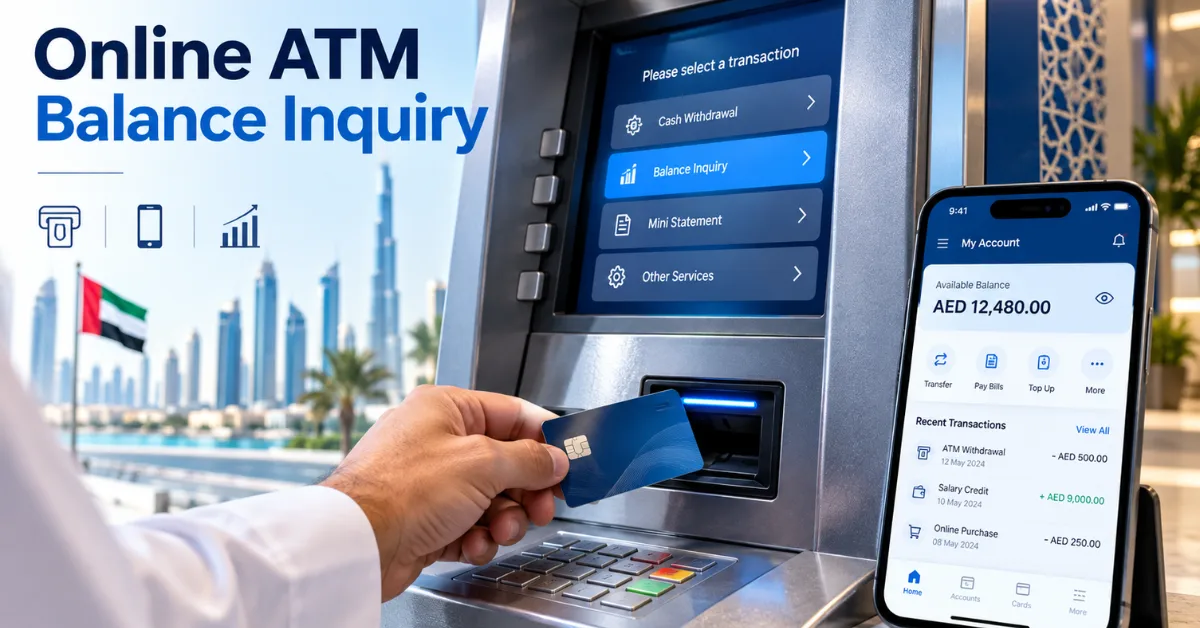
An ATM balance inquiry (also written ATM balance enquiry) is a request to see how much money is available on your card or account. It doesn’t move money. It only shows your balance, either on the ATM screen, on a printed receipt, or inside your banking app.
People search for it in many ways: ATM inquiry, ATM enquiry, ATM check, ATM card check, bank enquiry or simply balance inquiry. They all mean the same thing. If you searched “ATM check karne wala” (Urdu/Hindi for “how to check at an ATM”), the step-by-step ATM section below is exactly what you need.
There are two ways to do it:
- At a machine: insert your card, enter your PIN and choose Balance Inquiry.
- Online: check your balance online in your bank’s app or internet banking, without visiting an ATM.
Most people now do an online balance enquiry first because it’s free, shows recent transactions and works from anywhere. The ATM is the backup when you have no internet or no app.
Online ATM Balance Inquiry: How to Check Balance Online
Method 1: Your Bank’s Mobile App (Best Option)
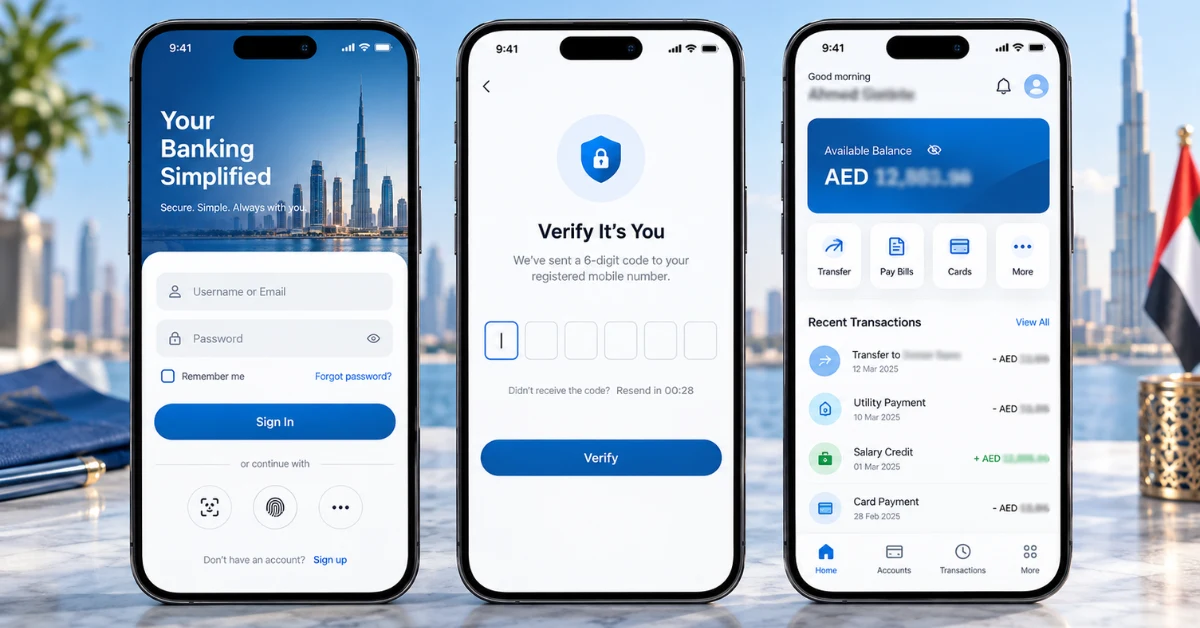
Every major UAE bank has a free app. It’s the easiest way to check your ATM balance online, and it shows more than an ATM can: pending payments, recent transactions and your full statement.
- Download your bank’s official app from the App Store, Google Play or Huawei AppGallery.
- Register with your debit card details and Emirates ID, or log in with your username, PIN, Face ID or fingerprint.
- Enter the OTP sent to your registered mobile number (first login only on most apps).
- Your available balance appears on the home screen. Tap the account to see transactions.
| Bank | Official app |
| First Abu Dhabi Bank (FAB) | FAB Mobile |
| Emirates NBD | ENBD X |
| Abu Dhabi Commercial Bank (ADCB) | ADCB Mobile Banking (Hayyak for new customers) |
| Dubai Islamic Bank (DIB) | DIB Mobile Banking |
| Abu Dhabi Islamic Bank (ADIB) | ADIB Mobile Banking |
| Mashreq | Mashreq App (Mashreq Neo for digital accounts) |
| RAKBANK | RAKBANK Digital Banking |
| Commercial Bank of Dubai (CBD) | CBD Mobile Banking |
Tip: check the publisher name before you download. Fake banking apps copy logos and names, but the real publisher is always the bank itself.
Method 2: Internet Banking (Online Balance Enquiry on a Computer)
If you prefer a laptop, log in to your bank’s internet banking website. Type the bank’s address yourself instead of clicking links in emails or messages. Enter your username and password, confirm the OTP, and your account summary shows your balance. This is the best option if you also need to download a statement for a visa, rent or loan application.
Method 3: SMS Alerts
Most UAE banks send an SMS after every card transaction and salary credit, and the message usually shows your remaining available balance. Turn on transaction alerts in your app or at a branch and you’ll always know your balance without asking for it.
Method 4: Phone Banking
Call your bank’s customer care number from your registered mobile. The automated menu can read your balance after you verify with your card number and PIN or an OTP. The number is printed on the back of your card. For example, FAB’s customer care number in the UAE is 600 52 5500, and ADCB’s contact centre is 600 50 2030.
A Warning About USSD Codes
Some websites list short “USSD codes” (like *555#) for checking bank balances in the UAE. We couldn’t find these codes on UAE banks’ official websites, so don’t rely on them. If a code doesn’t come from your bank’s own website or app, confirm it with customer care before using it.
ATM Balance Inquiry: Step-by-Step at the Machine
When you have no internet, a physical ATM is the most reliable ATM check balance method. It works with every debit card, and most prepaid and salary cards.
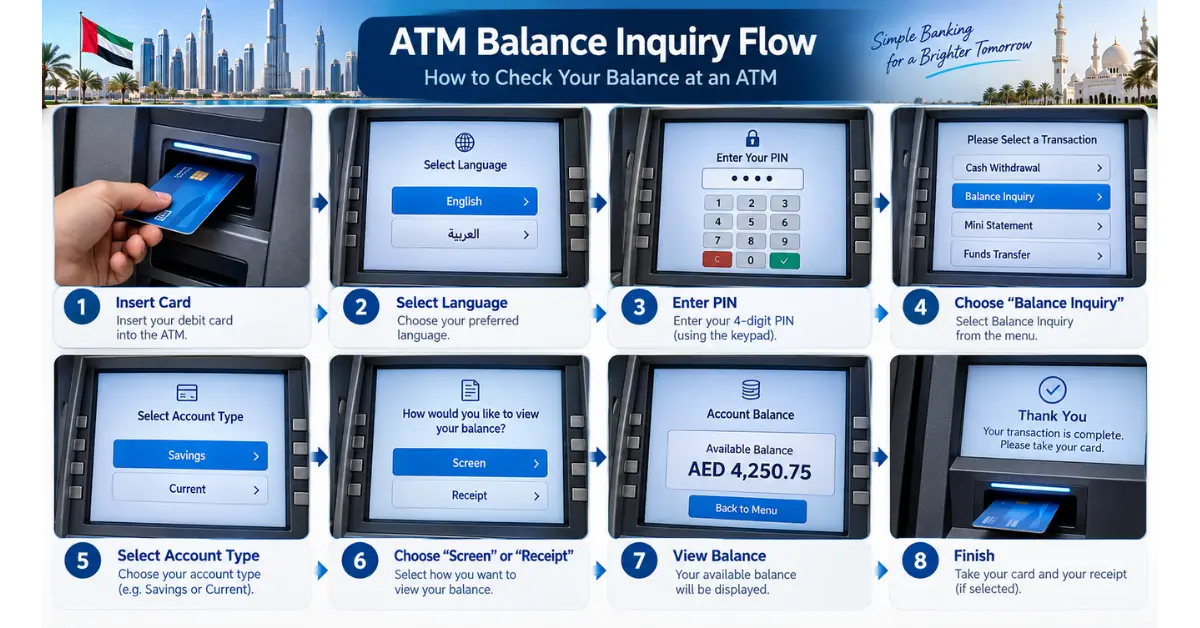
- Choose the right ATM. Use your own bank’s ATM so the inquiry is free.
- Check the machine. Make sure the card slot and keypad look normal and nothing is stuck on top of them.
- Insert your card and choose English or Arabic.
- Enter your 4-digit PIN, covering the keypad with your other hand.
- Select “Balance Inquiry” (some machines say “Balance Enquiry”, “Account Services” or “Other Services” first).
- Choose the account if more than one is linked (current, savings or credit card).
- View on screen or print a receipt. Choose “screen only” if you don’t need a record.
- Take your card and receipt before walking away.
The whole ATM card balance check takes under a minute. Many ATMs also offer a mini statement showing your last few transactions, which helps if the balance looks wrong.
ATM vs CDM: Which Machine Should You Use?
| Machine | What it does | Balance inquiry? |
| ATM (cash withdrawal) | Withdraw cash, check balance, mini statement | Yes |
| CDM (cash deposit machine) | Deposit cash, sometimes pay bills | Usually yes |
| CCDM (cash and cheque deposit) | Deposit cash and cheques | Usually yes |
If you’re going to deposit cash anyway, use a CDM or CCDM and check your balance in the same visit.
Is an Online ATM Balance Inquiry Free?
Online ATM balance inquiry is free. Checking your balance in your bank’s app, in internet banking or at your own bank’s ATM costs nothing at major UAE banks.
Fees only apply when you use another bank’s ATM. UAE banks are connected through the UAE Switch network, so your card works at almost any ATM in the country, but your bank charges a small usage fee for it. Emirates NBD’s published schedule of charges is a good example of what UAE banks typically charge:
| Where you check your balance | Emirates NBD fee (incl. VAT) |
| Emirates NBD ATM | Free |
| Other bank ATM in the UAE (UAE Switch) | AED 1.05 |
| ATM in another GCC country | AED 3.15 |
| ATM outside the GCC | Free, if the machine offers it |
| Declined transaction at another bank’s ATM | AED 1.05 |
Other banks are similar. Several UAE banks publish a fee of around AED 1 for a balance inquiry at another bank’s ATM, and cash withdrawals at other banks’ ATMs usually cost about AED 2 to AED 2.10. Always check your own bank’s schedule of charges, because fees change and some premium accounts waive them.
Money-saving tip: checking your balance at another bank’s ATM, then withdrawing cash at the same machine, can mean paying two separate fees. Check in your app first, then withdraw.
UAE ATM Balance Check by Card Type
Not every card works the same way. Use the method that matches your card.
| Your card | Best way to check | Online option |
| Debit card linked to a bank account | Bank app or own bank ATM | App or internet banking |
| Credit card | Bank app | App shows available limit and outstanding balance |
| FAB Ratibi or other prepaid salary card | FAB ATM or prepaid portal | Magnati prepaid card portal |
| LuLu Exchange salary card | LuLu Money app or supported ATM | LuLu Money app |
| Foreign (tourist) card | Your home bank’s app | Home bank app |
Credit cards: an ATM balance inquiry on a credit card usually shows your available credit limit, not what you owe. Use the app to see your outstanding balance and due date.
Salary cards: if you’re paid on a FAB Ratibi card or an old NBAD-branded card, see our full NBAD balance inquiry guide. If you hold a full FAB account, our FAB balance check online guide covers every FAB channel. If your employer pays you through LuLu Exchange, follow our Lulu balance check guide, which lists the ATMs that accept Lulu salary cards.
Tourists: foreign cards work at most UAE ATMs, but a balance inquiry may show nothing or charge a fee set by your home bank. Your own bank’s app is the cheapest way to check.
Transport cards: a Nol card is not a bank card, so an ATM can’t read its balance. Use our Nol card balance check guide for Dubai Metro and bus cards.
Available Balance vs Ledger Balance
When you do a bank balance check, you may see two numbers.
- Available balance is what you can spend or withdraw right now. This is what an ATM shows.
- Ledger (current) balance includes transactions that haven’t settled yet, such as a hotel deposit hold, a fuel pre-authorisation or a card payment still processing.
If the ATM shows less money than you expected, a pending transaction is the most common reason. Open your app to see what’s on hold. Most holds clear within a few days.
Why Is My ATM Balance Inquiry Not Working?
Card not accepted. The chip may be dirty or damaged. Try your own bank’s ATM. If it still fails, ask your bank for a replacement card.
PIN blocked. Most banks block the card after three wrong PIN entries. Reset the PIN in your app or call customer care. Don’t keep trying at the ATM.
“Service unavailable” message. Some ATMs of other banks don’t offer balance inquiries for every card. Use your own bank’s ATM or the app.
Balance lower than expected. Check for pending holds in your app. If a transaction looks unfamiliar, block the card in the app immediately and call your bank.
Salary not showing. Private-sector salaries in the UAE are paid through the Wage Protection System (WPS). Since 1 June 2026, salaries must be paid by the first day of each month. If yours hasn’t arrived by then, ask HR first, then contact your bank.
App not opening or OTP not arriving. Update the app, restart your phone, and check your registered SIM has signal. If the OTP still doesn’t arrive, call your bank to confirm your registered number.
Card stuck in the ATM. Call your bank straight away to block the card, and don’t accept help from strangers standing nearby.
How to Keep Your ATM Balance Check Safe
- Cover the keypad every time you enter your PIN.
- Look for skimmers. A loose card slot, an extra layer over the keypad or a tiny camera above the screen are warning signs. Use a different ATM if anything looks wrong.
- Prefer ATMs inside bank branches, malls or metro stations, where cameras and staff are nearby.
- Never share your PIN, CVV or OTP, even with someone who says they’re from your bank or the police. Banks never ask for them.
- Ignore WhatsApp messages from “your bank”. In April 2026 the Central Bank of the UAE ordered banks and exchange houses to stop using WhatsApp and other messaging apps for customer communications, including sending OTPs. Any bank message on WhatsApp is almost certainly a scam.
- Take your receipt or choose “screen only”. Receipts can show partial account details.
- Avoid public Wi-Fi when you check your balance online.
Which Balance Check Method Should You Use?
- Every day: your bank’s app. Free, fast and detailed.
- No internet: your own bank’s ATM.
- No app and no ATM nearby: call customer care.
- Salary or prepaid card: your card issuer’s app or portal, or its partner ATMs.
- Travelling in the GCC: check in your app to avoid the AED 3 GCC ATM fee.
- Card or PIN problem: visit a branch with your Emirates ID.