How to Check Car Insurance Status Online in the UAE (2026)
Rules and channels checked against UAE government, insurer and CBUAE sources, October 2026. App menu names change with updates, so follow the closest matching option.
A car insurance policy can lapse without a single warning SMS, and the first sign is often a blocked Mulkiya renewal or an AED 500 fine. Checking your car insurance status online takes 2 minutes and costs nothing. This guide shows how to check car insurance status online in every emirate, what to do when a new policy does not show up, and how to protect yourself after an accident with an uninsured driver.
Quick Answer
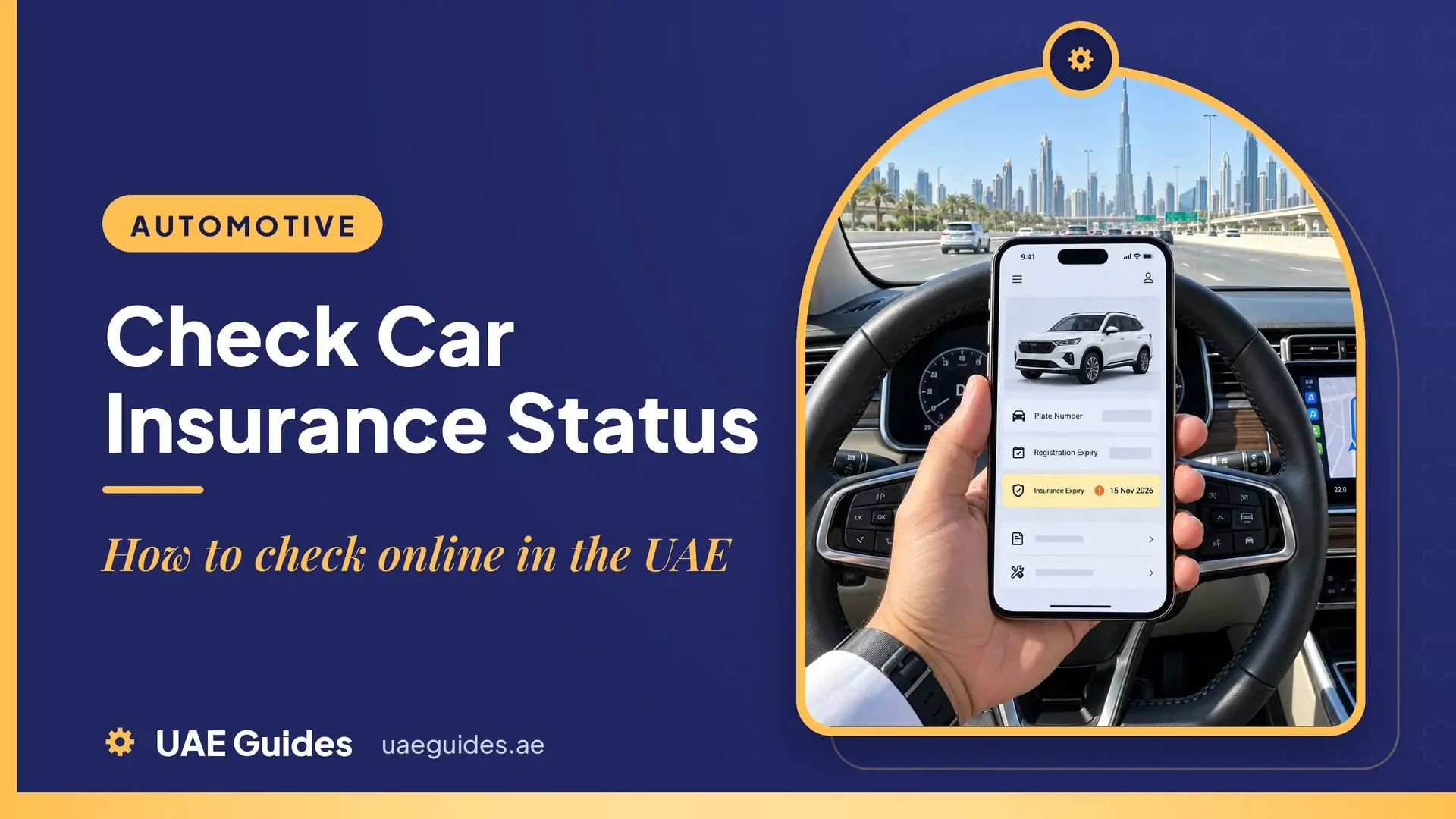
To check car insurance status online in the UAE, open the official vehicle app for your emirate and select your car. The vehicle record shows whether the insurance is active and when it expires.
| Emirate | Where to check | What you need |
| Dubai | RTA app or rta.ae | UAE PASS login, plate number or chassis number |
| Abu Dhabi | TAMM app or tamm.abudhabi | UAE PASS login |
| Sharjah, Ajman, Umm Al Quwain, Ras Al Khaimah, Fujairah | MOI UAE app or moi.gov.ae | UAE PASS or traffic file number, plate number |
| Any emirate | Your insurer’s app or website | Policy number or Emirates ID |
| Any emirate | Emirates Vehicle Gate (evg.ae) | Traffic code number and password |
All of these checks are free.
How Car Insurance Links to Your Vehicle Record
Every UAE insurer sends policy details electronically to the traffic authority. That link lets the RTA, TAMM and the Ministry of Interior (MOI) see your insurance when you renew registration, without a paper certificate.
Two rules make this check important:
- Standard policy length: UAE car insurance policies run for 13 months under the Central Bank of the UAE (CBUAE) unified tariff.
- Registration needs valid insurance: The Mulkiya cannot be renewed without an active electronic policy, so an expired or missing policy blocks renewal.
Check Car Insurance Status in Dubai (RTA)
Dubai drivers have 2 RTA channels:
RTA App
- Log in to the RTA app with UAE PASS.
- Open the vehicle licensing section and select your vehicle.
- View the registration details. The insurance status and expiry date appear next to the digital Mulkiya.
Menu names change between app updates, but the insurance details always sit inside your vehicle’s registration record.
RTA Website (Chassis Number Check)
- Go to rta.ae and open the services for drivers and vehicle owners.
- Choose the vehicle status inquiry service.
- Enter the chassis number (VIN) printed on the Mulkiya.
- Select the vehicle to see its registration and insurance status.
This check is useful for used cars, because it works with the chassis number alone. New policies can take up to 24 to 48 hours to appear, although most show within a few hours.
Check Car Insurance Status in Abu Dhabi (TAMM)
Abu Dhabi vehicles are managed through TAMM, the government services platform.
- Log in to the TAMM app or tamm.abudhabi with UAE PASS.
- Go to the driving and transport services.
- Open your personal vehicle and select it.
- The vehicle card shows the insurance expiry date, fines and test status.
For help with Abu Dhabi vehicle services, call the Abu Dhabi Mobility call centre on 800555.
Check Car Insurance Status in Sharjah and the Northern Emirates (MOI)
Vehicles registered in Sharjah, Ajman, Umm Al Quwain, Ras Al Khaimah and Fujairah use the federal Ministry of Interior system.
- Open the MOI UAE app or moi.gov.ae and log in.
- Go to traffic and vehicle services.
- Select your vehicle or enter the plate or traffic file number.
- View the registration details, including the policy number, insurer and expiry date.
Check Through Emirates Vehicle Gate (EVG)
Emirates Vehicle Gate (evg.ae) is a federal platform with more than 50 vehicle services, first launched by the MOI in 2016. Insurers and brokers report that logged-in users can view their policy, insurer and expiry date, and EVG also lets you request new insurance quotes. Log in with your traffic code number and password.
Check Through Your Insurer
Your insurer’s app or website gives the most detail: status, expiry date, cover type, excess and claims history.
- Log in or register with your policy number or Emirates ID.
- Open “My Policies” or the policy details page.
- Download the policy document if you need proof of cover.
You can also check the policy PDF in your email or call the insurer with your policy number. Insurers do not offer a standard SMS code for status checks.
What to Do If Your New Policy Does Not Show
A paid policy sometimes does not appear on the RTA, TAMM or MOI record straight away. Follow these 4 steps:
- Wait a few hours: Most policies sync within hours. Allow up to 48 hours.
- Check the start date: A policy with a future start date stays hidden until that date.
- Check the details: The plate number and chassis number on the policy must match the Mulkiya exactly.
- Ask the insurer to resend: The insurer can push the policy data to the traffic system again.
Do not drive until the policy shows as active.
Checking Another Car’s Insurance After an Accident
No public UAE service lets you check another vehicle’s insurance by plate number. After an accident, follow these 3 steps instead:
- Exchange details with the other driver and ask to see their insurance certificate.
- Report the accident through the Dubai Police app, DubaiNow or a police station, entering the plate and emirate of every vehicle.
- Let the police report confirm the other driver’s insurance. Your insurer uses this report to handle the claim.
In Dubai, a police report is free for the driver who is not at fault. The at-fault driver pays AED 520, and a report for damage by an unknown party costs AED 420.
For a used car you plan to buy, ask the seller for the chassis number and run the RTA or EVG check before you pay.
What Happens If Your Car Insurance Expires
Driving with expired insurance or registration is a traffic offence in every emirate. The current penalties are:
| Offence | Reported penalty |
| Driving with expired registration or no valid insurance | AED 500 fine and 4 black points |
| Registration expired for more than 3 months | Also 7 days’ vehicle impoundment |
| Accident while uninsured | You pay all damage and injury costs yourself |
Under Federal Decree-Law No. 14 of 2024, in force since 29 March 2025, these violations can be recorded by cameras and smart systems, not only by patrols. There is no legal grace period for driving with expired insurance.
Renewing an Expiring Policy
When the check shows your policy is close to expiry, compare quotes 2 to 4 weeks ahead and ask your insurer for a free no-claims letter if you plan to switch. Then run the status check again to confirm the new policy is active. The full UAE car insurance guide covers official prices, discounts and renewal steps, and the comparison of the best insurance companies helps you pick an insurer.
Fake Policies and the Status Check
In July 2026, the Ministry of Interior warned drivers about fake car insurance sold on social media. A policy that never appears on your RTA, TAMM or MOI record is a warning sign, so run the status check within a day of buying.