Nol Card Balance Check: How to Check Your Dubai Nol Card Balance Online, on Mobile and at the Metro (2026)
Quick Answer
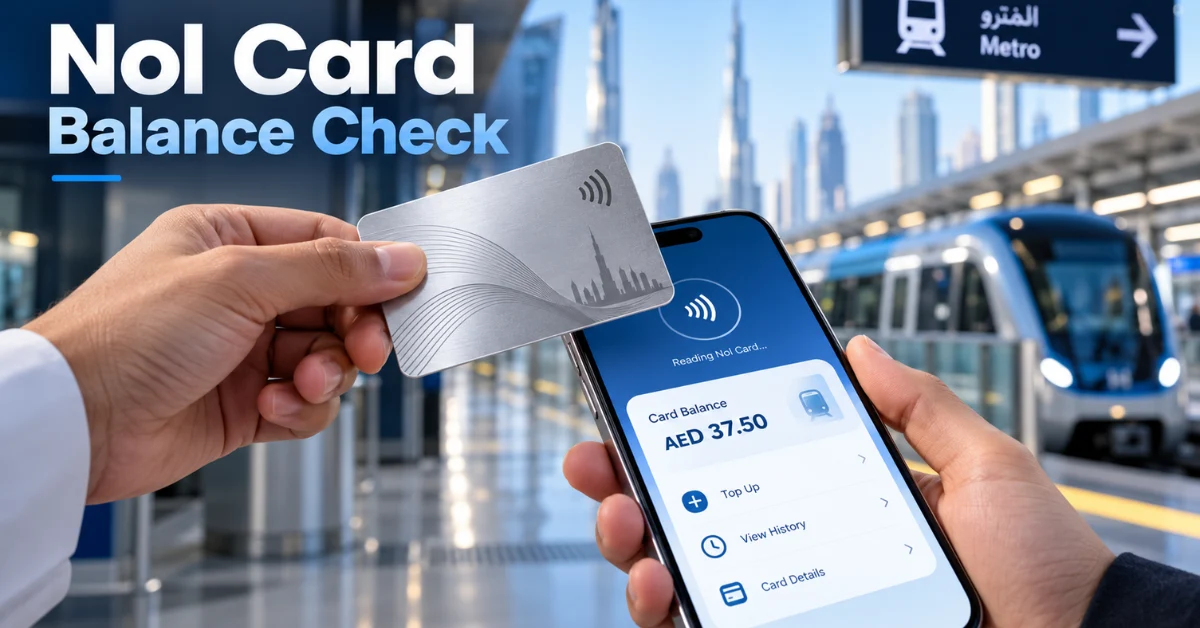
The fastest nol card balance check is on the RTA website: open the “Check nol Balance” service, type the nol tag ID printed on the back of your card and press Search. On your phone, the nol Pay app reads your balance when you hold the card against the back of an NFC phone. Without internet, tap your card on any ticket vending machine at a Dubai Metro station and the balance appears on screen.
If you searched “how check nol card balance”, those three options cover almost everyone. Keep at least AED 7.50 on a Silver, Blue or Red card before you travel, because that’s the highest single-journey fare and gates won’t open if your balance is lower.
| Method | Needs internet | Cost | Best for |
| RTA website | Yes | Free | Quick check with the tag ID |
| nol Pay app | Yes, plus NFC | Free | Checking on mobile and topping up |
| RTA Dubai app | Yes | Free | Residents who already use RTA services |
| Metro ticket vending machine | No | Free | Checking at the station |
| Metro ticket office | No | Free | Help with a card problem |
| Mahboub chatbot | Yes | Free | Asking RTA questions by chat |
What Is a Nol Card?
A nol card is Dubai’s official smart travel card, issued by the Roads and Transport Authority (RTA). You tap it to pay for the Dubai Metro, Dubai Tram, public buses and marine transport such as the water bus, and you can also use it at RTA paid parking meters. According to RTA, cash is not accepted on its public transport, so every rider needs a nol card or ticket.
The word “nol” means “fare” in Arabic. RTA launched the card in August 2009, and according to public records the minimum travel balance was raised from AED 1.80 to AED 7.50 in August 2014.
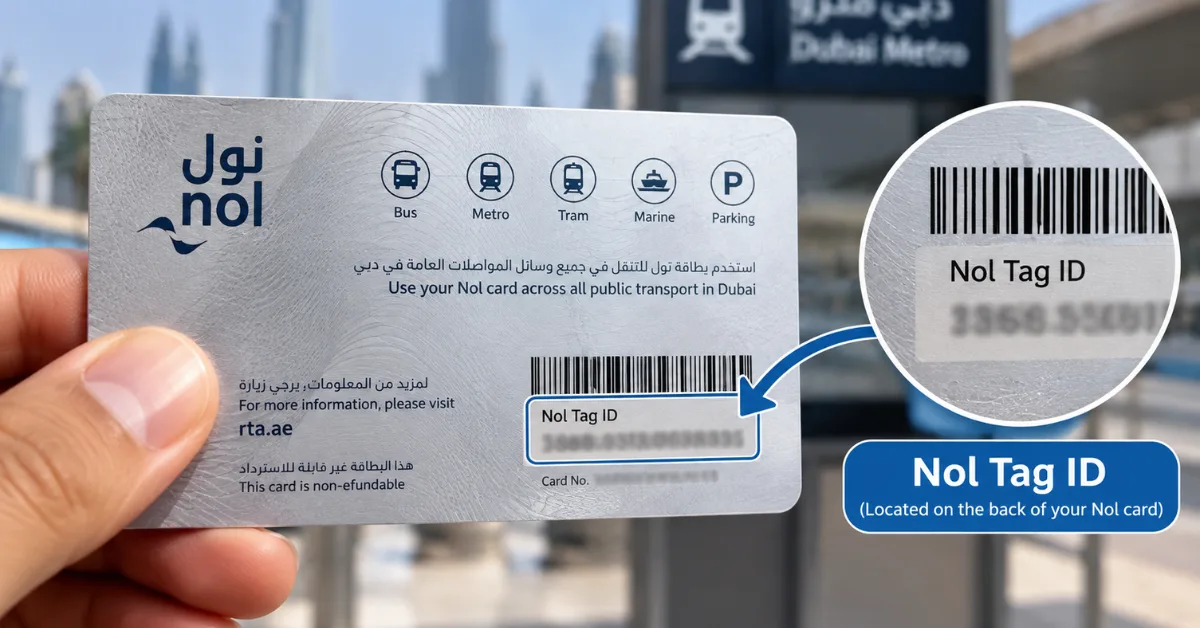
Every card has a nol tag ID printed on the back. You need this number for any online nol balance inquiry. Most nol card balance inquiries take less than a minute once you have it.
Method 1: Nol Card Balance Check Online (RTA Website)
This is the simplest nol balance inquiry and works on any phone or computer.
- Open the official RTA website, rta.ae.
- Find the Check nol Balance service (on the home page or under Public Transport, then nol).
- Type the nol tag ID from the back of your card.
- Press Search.
- Your available balance appears on screen, along with any pending credit and the card’s expiry date.
No login or registration is needed for a basic balance inquiry. Nol card holders only need the tag ID. You can also check a family member’s card this way if you have their tag ID.
Tip: only use rta.ae or nol.rta.ae. Many unofficial websites offer a “nol card check” box, but they either redirect you to RTA or show outdated data.
Method 2: Check Nol Card Balance in Mobile (nol Pay App)
If you want to check nol card balance in mobile, the nol Pay app from RTA is the best option.
- Download nol Pay from the App Store or Google Play (publisher: Roads and Transport Authority).
- Sign in, for example with UAE Pass.
- Turn on NFC on your phone.
- Choose the option to read your card, then hold the nol card flat against the back of your phone.
- The app shows your balance and recent trips.
The same app lets you top up, buy a virtual nol card, and write pending online credit onto your physical card. Most Android phones and recent iPhones support NFC reading, but if your phone doesn’t, use the RTA website instead.
Method 3: RTA Dubai App
The RTA Dubai app covers most RTA services, including nol. Log in, open the nol section and add your card using its tag ID. Your nol balance then appears in the app, next to other services such as fines and parking. This suits residents who already use the app for car and parking services.
Method 4: Metro Station Ticket Vending Machine
This is the best offline nol balance check.
- Go to any ticket vending machine (TVM) at a Dubai Metro station.
- Place your nol card on the card reader.
- The screen shows your current balance straight away.
- If the balance is low, you can top up at the same machine with cash or a bank card.
Tapping the card here also activates pending credit from an online top-up, which is why this machine is useful even when you’ve just recharged.
Method 5: Metro Ticket Office and Customer Happiness Centres
Staff at metro ticket offices and RTA Customer Happiness Centres can handle a nol card balance check enquiry in person, reading your card and telling you the balance. Visit them if your card is damaged, blocked, not working at the gates, or if you need a refund or replacement.
Method 6: Mahboub Chatbot
RTA’s virtual assistant, Mahboub, is available through the “Chat with Mahboub” option on rta.ae. You can use it for nol questions and services, which helps if you’d rather chat than search through menus.
A note on SMS: some websites say you can get your nol balance by SMS to 511. RTA doesn’t list this on its nol card pages, so use the methods above for an official answer.
Minimum Nol Card Balance: How Much Do You Need?
The minimum nol card balance to travel on a Silver, Blue or Red card is AED 7.50. That’s the fare for crossing more than two zones, so the system makes sure you can pay for the longest journey before you enter.
| Card | Minimum balance to travel | Why |
| Silver | AED 7.50 | Longest regular fare is AED 7.50 |
| Blue (Personal) | AED 7.50 | Same fares as Silver before concessions |
| Gold (Gold Class) | Keep at least AED 15 | Gold Class fares are double |
| Red Ticket | Loaded per trip | Paper ticket for single trips |
Practical tip: keep at least AED 15 on a Silver card so you have enough for a return trip, and at least AED 30 if you travel Gold Class both ways.
What happens if your balance is too low? The metro gate or bus reader won’t accept the card. Top up at the station machine, then tap again.
Nol Fares in 2026 (Official RTA Zone Fares)
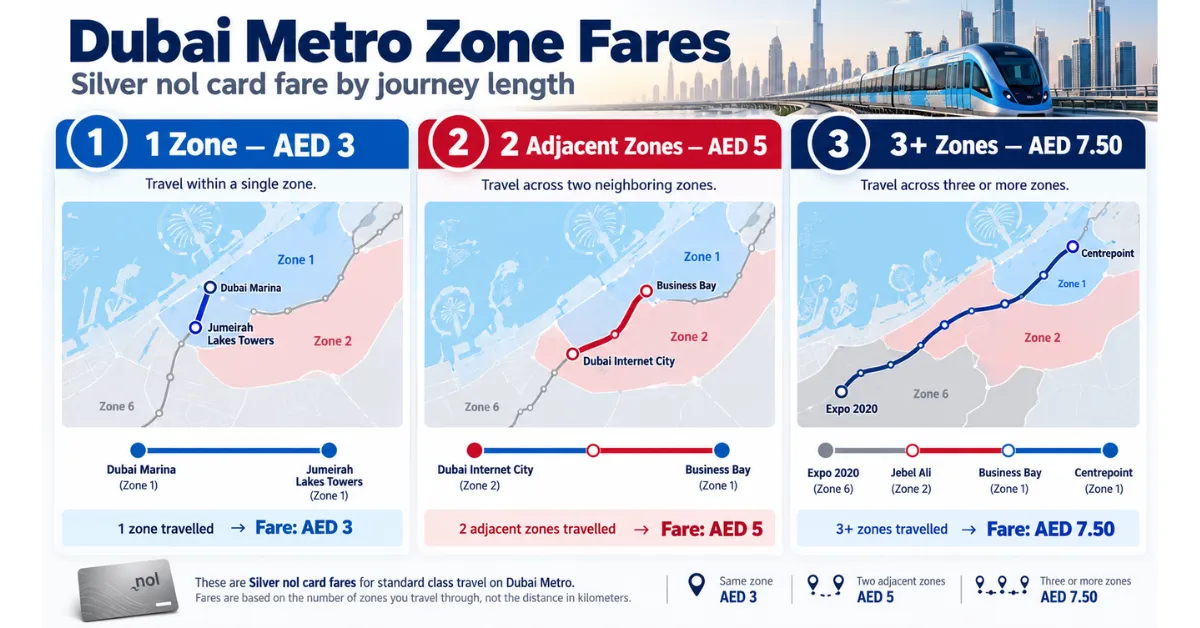
Your fare depends on how many of Dubai’s 7 zones you pass through. According to RTA’s official nol fares:
| Journey | Silver | Gold | Personal (Blue) | Red Ticket |
| Within 1 zone | AED 3 | AED 6 | AED 3 | AED 4 |
| 2 adjacent zones | AED 5 | AED 10 | AED 5 | AED 6 |
| More than 2 zones | AED 7.50 | AED 15 | AED 7.50 | AED 8.50 |
Concessions on the Personal card:
- Students, senior Emiratis and residents, and social affairs beneficiaries pay 50% of the fare.
- People of Determination travel free.
- Children aged 5 and under travel free on any card.
Transfer rules: a journey can last up to 180 minutes with up to 3 transfers, and you have 30 minutes to tap in on a bus after leaving the metro. If you do, RTA charges both trips as one journey based on total zones.
Daily cap: several Dubai transport guides report that Silver and Blue card fares are capped at about AED 14 per day. Check the latest figure with RTA before relying on it.
Nol Card Types: Which One Do You Have?
Your balance limit and check options depend on the card. According to RTA’s nol card guide:
| Card | Price | Starting balance | Maximum balance | Validity |
| Silver | AED 25 | AED 19 | AED 1,000 anonymous, AED 5,000 registered | 5 years |
| Gold | AED 25 | AED 19 | AED 1,000 anonymous, AED 5,000 registered | 5 years |
| Personal (Blue) | AED 70 | AED 20 | AED 5,000 | 5 years |
| Red Ticket | AED 2 | None | Up to 10 journeys or 5 day passes | 90 days or 10 trips |
| nol Travel | AED 100 | AED 19 | AED 1,000 anonymous, AED 5,000 registered | 5 years |
Silver is the standard card for most residents and visitors. Gold gives access to Gold Class cabins on the metro and tram at double the fare. The Personal (Blue) card carries your name and photo, lets you recover your balance if the card is lost or stolen, and is required for concession fares. The Red Ticket is a paper ticket for one mode of transport at a time, and the nol Travel card adds offers and discounts for tourists and residents.
Travel passes: RTA also sells 7, 30, 90 and 365-day passes. A 30-day Silver pass for all zones costs AED 350. Anonymous Silver and Gold cards can only buy the 7-day pass, while registered cards can buy all of them.
How to Top Up After a Nol Balance Check
If your nol card balance is low, you can recharge:
- At ticket vending machines and ticket offices in metro stations.
- In the nol Pay app, with a debit or credit card.
- On the RTA website or nol.rta.ae.
- At authorised retail outlets and fuel stations across Dubai.
If you top up online, the money shows as pending credit. It moves onto your card the next time you tap it at a metro gate or ticket machine, or read it with the nol Pay app. If you’re checking your bank balance before topping up, our guide to online ATM balance inquiry explains the free ways to do it.
Common Problems and Fixes
Balance didn’t change after an online top-up. The credit is still pending. Tap the card at a metro gate or ticket vending machine, or read it in the nol Pay app, to write it onto the card.
Gate won’t open. Your balance is probably under AED 7.50, or AED 15 for Gold Class. Check at the ticket machine and top up.
Charged more than expected. If you forget to tap out, the system can’t calculate your zones. Always tap your card when you exit the metro, tram or bus.
“Invalid card” on the website. Check the nol tag ID digits carefully. If it still fails, the card may be expired or blocked, so visit a ticket office.
nol Pay app can’t read the card. Turn on NFC, remove any phone case, and hold the card still against the upper back of the phone for a few seconds.
Card lost or stolen. Only Personal (Blue) cards and registered cards let you recover the balance. Report it to RTA quickly. Anonymous cards can’t be recovered.
Card expired. Silver, Gold and Blue cards are valid for 5 years. Visit a ticket office or use RTA’s online services to renew or transfer the balance.